
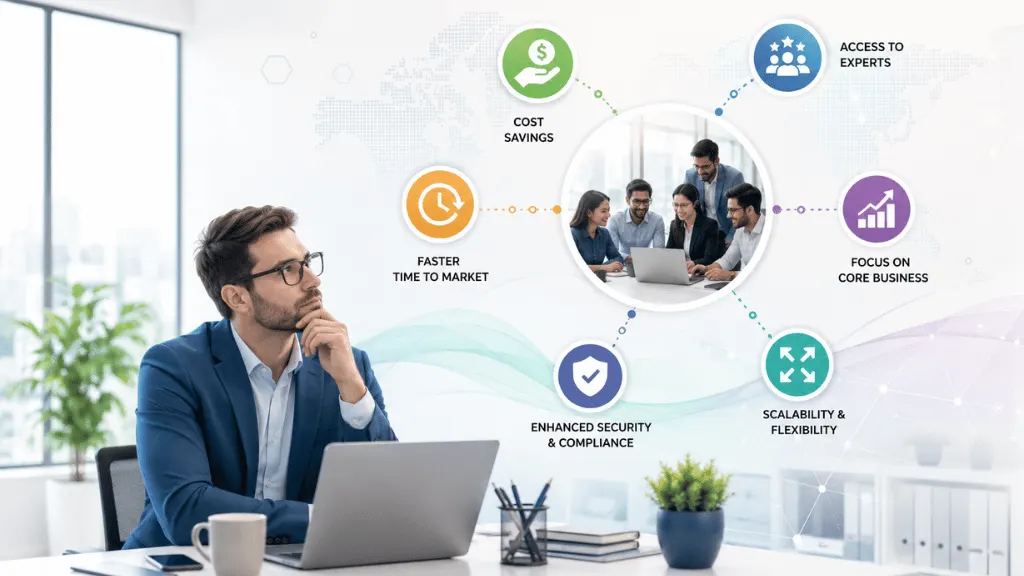
Why Do Businesses Outsource IT Services?
Businesses outsource IT services to access specialist expertise, control technology costs, improve IT support, strengthen security, scale more easily, and allow their internal teams to focus on core business activities. Instead of hiring and managing an entire IT team for every requirement, a company can work with an external IT service provider for specific tasks or ongoing technology management.
The decision is not always about saving money.
For many businesses, the bigger question is:
“How can we get better IT capabilities without making our business unnecessarily complicated?”
That is where IT outsourcing can make sense.
A company might outsource IT support, cybersecurity, cloud management, software development, network management, data backup, infrastructure, or other technology services. India’s Ministry of Electronics and Information Technology describes IT services as covering areas including consulting, systems integration, IT outsourcing, managed services, hosting, training, and support and maintenance.
In short, businesses outsource IT when an external provider can deliver the required capability more effectively, flexibly, or efficiently than building everything internally.
What Does It Mean to Outsource IT?
IT outsourcing means hiring an external company or specialist to perform technology-related work for your business.
The arrangement can be small or large.
For example:
- A small business may outsource help desk support.
- A growing company may outsource cloud management.
- An e-commerce business may outsource cybersecurity monitoring.
- A startup may hire an external software development team.
- A larger organisation may outsource infrastructure management.
Some businesses outsource only one IT function, while others use a managed service provider for most day-to-day IT operations.
The important point is that outsourcing does not automatically mean replacing your internal IT team.
A hybrid model can work very well. Your internal employees can manage business priorities and strategy while an external IT partner handles specialised or repetitive technical work.
Why Outsource IT? The Main Reasons Businesses Do It
There is no single answer to “why outsource IT?”
Different companies have different priorities. However, the following reasons are among the most common.
1. Reduce and Control IT Costs
Cost control is one of the biggest reasons businesses consider IT outsourcing.
Running IT internally involves more than employee salaries.
A business may also need to pay for:
- Recruitment
- Employee benefits
- Training
- IT tools
- Monitoring software
- Cybersecurity products
- Hardware
- Cloud infrastructure
- Backup systems
- Technical certifications
- Employee leave coverage
- Specialist consultants
If the business needs several technical skills, the costs can quickly add up.
Outsourcing can turn some of these expenses into a more predictable service cost.
For example, instead of hiring separate specialists for networking, cybersecurity, cloud administration and help desk support, a company may use an external provider with a team covering those areas.
However, businesses should not assume that outsourcing is automatically cheaper.
The smarter approach is to compare total cost of ownership.
Look at the complete internal cost and compare it with the complete outsourcing proposal.
A cheap monthly fee is not a bargain if important services are excluded.
2. Access Specialist IT Expertise
Technology is a broad field.
One IT professional may be excellent at network administration but not have deep expertise in cybersecurity, cloud architecture or software development.
An outsourcing company may have specialists across several technology areas.
That can give businesses access to skills without hiring every specialist permanently.
For example, a company moving to the cloud might need expertise in:
- Cloud architecture
- Migration
- Security
- Backup
- Monitoring
- Cost optimisation
- Compliance
A managed cloud provider can handle some or all of these activities depending on the agreement. IBM notes that managed cloud services can include migration, optimisation, security, configuration, upgrades and maintenance.
This is particularly useful when a business needs specialist expertise for a project or a changing technology requirement.
3. Focus More on Core Business
This is one of the most practical answers to why outsource IT.
Imagine a business owner spending half a day dealing with:
- A broken laptop
- Email access problems
- Wi-Fi issues
- Server alerts
- Software updates
- Password problems
That is time that could have been spent on customers, sales, employees or business growth.
IT is important, but it may not be the company’s core business.
By outsourcing selected IT responsibilities, management and employees can spend more time on activities that directly support the company’s main objectives.
In other words, let the specialists handle the technology while your team focuses on the business.
4. Improve IT Support
Poor IT support can quietly damage productivity.
If an employee spends two hours trying to solve a technical problem, the business is paying for that lost time.
Professional IT support can introduce structured processes for:
- Service requests
- Incident management
- Troubleshooting
- Escalation
- Monitoring
- Documentation
- User support
IT service management focuses on planning, managing and improving IT services so they support user needs and business goals.
A good provider should also have a clear system for tracking support requests instead of relying on random calls, WhatsApp messages or emails.
That brings some method to the madness.
5. Strengthen Cybersecurity
Cybersecurity has become a major business concern.
Companies may need to protect:
- Customer information
- Employee information
- Financial data
- Business applications
- Cloud accounts
- Endpoints
- Networks
- Intellectual property
But cybersecurity is a specialist area, and threats continue to change.
An external security provider may offer services such as:
- Security monitoring
- Endpoint protection
- Vulnerability management
- Security assessments
- Incident response
- Security awareness
- Backup monitoring
- Identity and access management
Outsourcing does not automatically make a company secure.
In fact, using an external provider creates its own third-party risk because the provider may have access to business systems or information. NIST specifically recognises external service providers and outsourcing arrangements as part of the wider third-party and supply-chain security environment.
Therefore, businesses should check a provider’s security controls before granting access.
6. Scale IT Services More Easily
Business needs do not stay the same forever.
A company may have 20 employees today and 100 employees two years from now.
It may open new offices, launch an online service, move to the cloud or expand into another market.
An external IT provider can sometimes scale services as requirements change.
For example, the business might need:
- More help desk support
- Additional cloud resources
- More device management
- Additional cybersecurity monitoring
- More development capacity
Managed services can provide flexibility because the business does not necessarily need to recruit a new full-time employee for every new requirement.
Scalability is also a key benefit of managed cloud services, where resources can be adjusted as business requirements change.
7. Get Faster Access to Technology
Technology changes at a rapid pace.
Businesses may need to adopt:
- Cloud platforms
- Automation
- AI tools
- Cybersecurity solutions
- Data analytics
- Modern collaboration tools
- New business applications
An internal team may not have experience with every new technology.
An experienced IT partner may already work with these platforms and know the common implementation challenges.
This can reduce the learning curve.
It does not mean every new technology should be adopted. The business still needs to decide whether the technology actually solves a business problem.
8. Improve Business Productivity
IT affects almost every department.
When systems work properly, employees can spend more time doing their actual jobs.
For example:
A sales employee needs reliable CRM access.
A finance team needs dependable accounting systems.
A warehouse may rely on inventory software.
A customer support team needs communication tools.
If these systems regularly fail, productivity suffers.
A well-managed IT environment can reduce unnecessary interruptions and help employees work more smoothly.
IBM notes that structured IT service management can improve user experience and productivity by systematically managing services, support, assets and changes.
9. Reduce the Burden on Internal IT Teams
Outsourcing can also help an existing IT department.
Suppose an internal IT team spends most of its time handling routine tickets.
That leaves less time for:
- Technology strategy
- Digital transformation
- Automation
- System upgrades
- Business applications
- Innovation
- Long-term planning
An external provider can take care of selected operational tasks.
The internal team can then spend more time on higher-value work.
This is an important distinction:
Outsourcing does not have to be “us versus them.” It can be “our team plus their expertise.”
10. Improve Business Continuity
Technology problems can bring business operations to a standstill.
Power failures, hardware problems, cyber incidents, cloud outages and accidental data deletion can all create disruption.
IT providers may offer services related to:
- Backup
- Disaster recovery
- Monitoring
- Redundancy
- Incident response
- Business continuity
Managed cloud services, for example, can include backup and restoration capabilities intended to minimise operational disruption.
Businesses should still understand exactly what their provider covers.
A backup service is not the same as a complete disaster recovery strategy.
11. Access IT Support Without Building a Large Team
A small company may not need a full-time:
- Network engineer
- Cloud engineer
- Cybersecurity specialist
- Systems administrator
- Help desk team
- Database specialist
Hiring all these roles may not make financial sense.
Outsourcing allows a business to access selected capabilities when needed.
This is particularly useful for startups and small businesses where budgets are limited but technology requirements are growing.
12. Support Digital Transformation
Digital transformation is not simply buying new software.
It may involve changing how a business:
- Serves customers
- Manages employees
- Stores data
- Processes orders
- Uses applications
- Communicates
- Analyses information
IT outsourcing can support these changes by providing technical skills and implementation capacity.
For example, an external partner might help a company:
- Assess its existing systems.
- Identify outdated technology.
- Build a migration plan.
- Move workloads to the cloud.
- Integrate applications.
- Improve cybersecurity.
- Monitor the new environment.
This can help an internal team move faster without having to build every capability from scratch.
IT Outsourcing Benefits at a Glance
Benefit | How It Can Help a Business |
Cost control | Converts some IT costs into predictable service expenses |
Specialist expertise | Provides access to skills that may not exist internally |
Better support | Creates structured IT support and escalation |
Cybersecurity | Provides access to specialist security capabilities |
Scalability | Makes it easier to increase or reduce selected services |
Productivity | Reduces time lost to technology problems |
Business focus | Allows employees to focus on core activities |
Business continuity | Supports backup, monitoring and recovery planning |
Innovation | Gives access to newer technologies and skills |
Internal IT support | Reduces routine workload for internal teams |
How IT Outsourcing Can Create Business Savings
The savings from IT outsourcing are not limited to the monthly service fee.
Businesses should consider several areas.
Lower Recruitment Costs
Hiring technical specialists can take time and money.
There may be recruitment fees, interviews, onboarding and training.
Outsourcing can reduce the need to recruit for every specialist requirement.
Lower Infrastructure Costs
Depending on the service model, businesses may avoid some hardware and infrastructure expenses.
Cloud and managed services can also change IT spending from large upfront purchases to more flexible service-based costs. IBM notes that as-a-service models can reduce upfront investment and provide flexible scaling.
Reduced Downtime
If IT problems are detected and resolved quickly, the business may lose less productive time.
Downtime costs vary widely between companies, so businesses should calculate their own potential impact rather than relying on a generic industry number.
Better Use of Internal Employees
If internal employees spend less time on repetitive IT maintenance, they can potentially work on projects with greater business value.
This can improve the return on the existing workforce.
What Is the Business Impact of Outsourcing IT?
The real business impact goes beyond IT.
Financial Impact
Better cost visibility and access to external expertise may help businesses manage technology spending more effectively.
Operational Impact
Structured support, monitoring and maintenance can make daily operations more predictable.
Employee Impact
Employees can spend less time fighting technical problems and more time on their core responsibilities.
Customer Impact
Reliable applications, websites, communication systems and customer platforms can support a better customer experience.
Strategic Impact
Internal leaders can spend more time thinking about growth, technology strategy and business transformation.
That is why the best way to measure IT outsourcing is not simply:
“How much money did we save?”
A better question is:
“What business value did we get for the money we spent?”
When Should a Business Outsource IT?
IT outsourcing may be worth considering when:
- IT problems are taking too much management time.
- Your internal team lacks specialist skills.
- Cybersecurity requirements are increasing.
- Your business is growing quickly.
- You need after-hours support.
- You are moving to the cloud.
- IT costs are becoming difficult to control.
- You need temporary expertise.
- Your internal IT team is overloaded.
- You need to modernise old systems.
On the other hand, outsourcing may not be suitable for every business or every IT function.
Some technology capabilities may be highly strategic and better managed internally.
The right question is not:
“Should we outsource everything?”
It is:
“Which IT activities should we keep, and which should we outsource?”
What Are the Risks of Outsourcing IT?
It is important to look at both sides of the coin.
Potential challenges include:
- Data security risks
- Vendor dependency
- Communication problems
- Poor service quality
- Hidden costs
- Loss of internal knowledge
- Limited control over some processes
- Difficulties changing providers
NIST notes that external services can operate outside an organisation’s direct control over certain security and privacy controls.
That is why businesses should carefully assess providers, contracts, access controls and security responsibilities.
A strong outsourcing agreement should clearly define:
- Scope of services
- Responsibilities
- Security requirements
- Service levels
- Pricing
- Data handling
- Confidentiality
- Incident reporting
- Intellectual property
- Exit and transition arrangements
How to Decide If IT Outsourcing Is Right for Your Business
Before signing a contract, ask these questions:
1. What problem are we trying to solve?
Do not outsource without a clear reason.
2. What will we gain?
The answer might be lower costs, better security, specialist expertise, faster delivery or more reliable support.
3. What will we keep internally?
Decide which responsibilities must remain under internal control.
4. What data will the provider access?
Identify sensitive information before granting access.
5. How will we measure success?
Set KPIs and service-level expectations.
6. What happens if the provider underperforms?
Make escalation and corrective actions clear.
7. What happens if we want to leave?
Have a practical exit plan.
Common IT Outsourcing Mistakes
Choosing the Cheapest Provider
Price matters, but capability matters too.
Outsourcing Without Clear Requirements
If the scope is vague, disagreements can appear later.
Ignoring Cybersecurity
Never assume an external provider is secure simply because it is an IT company.
Giving Too Much Access
Use appropriate access controls and review permissions regularly.
Not Measuring Performance
If you cannot measure results, it becomes difficult to judge whether outsourcing is working.
Forgetting About Communication
Technical skills are important, but the provider also needs to communicate clearly with your team.
Outsourcing Everything
Some strategic IT responsibilities may be better kept inside the business.
FAQs About Why Businesses Outsource IT
Why outsource IT services?
Businesses outsource IT services to access specialist skills, control costs, improve support, strengthen technology operations, scale services and allow internal employees to focus on core business activities.
Is outsourcing IT cheaper?
It can be, but there is no universal answer. Businesses should compare the total cost of internal IT with the complete cost of outsourcing, including tools, employees, infrastructure, management, training and support.
Why do small businesses outsource IT?
Small businesses may not have enough work or budget to hire a complete internal IT department. Outsourcing can give them access to technical expertise and support without building every capability internally.
Does IT outsourcing improve cybersecurity?
It can provide access to specialist cybersecurity skills and tools, but outsourcing itself does not guarantee better security. Businesses should assess the provider’s security practices and clearly define responsibilities.
Can IT outsourcing help a growing business?
Yes. Outsourcing can provide flexible access to IT support, cloud services, software development and specialist expertise as business requirements change.
Does IT outsourcing replace an internal IT department?
Not necessarily. Many businesses use a hybrid model in which internal employees manage strategy and business requirements while an external provider handles selected technical services.
What IT services can businesses outsource?
Common examples include IT support, help desk services, cybersecurity, cloud management, network management, software development, infrastructure management, backup, disaster recovery and application support.
How can outsourcing IT improve productivity?
Professional IT support can reduce time lost to technical problems and routine maintenance. It can also allow internal IT employees to spend more time on strategic projects.
What are the disadvantages of outsourcing IT?
Potential disadvantages include vendor dependency, security risks, communication problems, hidden costs, loss of internal knowledge and reduced direct control over certain services.
How do I know whether my business should outsource IT?
Start by identifying your current IT problems, internal capabilities, costs, security requirements and future plans. Then compare the expected business value of outsourcing with the cost and risks.
Conclusion
So, why outsource IT?
For many businesses, the answer is simple: to get the right technology support without carrying the full burden of building and managing every IT capability internally.
IT outsourcing can help businesses access specialist expertise, control costs, improve support, strengthen cybersecurity, scale technology, increase productivity and focus on their main business goals.
But outsourcing is not a shortcut that solves every problem.
The right provider, clear scope, strong security, measurable service levels and regular communication are essential. A business should also look beyond immediate cost savings and consider the wider impact on productivity, operations, employees, customers and growth.
The best outsourcing strategy is rarely about handing over everything.
It is about finding the right balance between what your business should manage internally and where an experienced IT partner can add real value.
When that balance is right, IT outsourcing can become more than a cost-saving exercise. It can become a practical way to build a more flexible, capable and resilient business.